Sunday, June 2, 2019

Trying out Packaging Mockup

I decided to try out my design of the grapefruit pattern on the soap packaging mockup to see how it would look like. To see if the proportions were alright and if the grapefruits were easily noticeable.
Free Soap Packaging Mockup from online
The image above shows the pattern design I have decided to input into the mockup. 
The image above shows the different layers the mockup has. There's a layer for editing the soap itself, editing the soap packaging box and the background. To insert my design I had to open the package box and soap to see its layers and double click on them to insert the designs into the layers.  
Then after I added all the design to the sides of the packaging box, I edited the background and the soap colour. 


I added in the brand name of the soap into the front cover of the packaging box so get a feel of how it would look like. I wanted to see if the drawings in the background were the perfect size in order to not completely divert the viewers from the packaging brand name and the name of the soap. What I noticed was that the grapefruits were a bit too small. For my actual package designs, the drawings should become more enlarged and have more space between themselves.


Tuesday, May 28, 2019

Grapefruit photoshop process


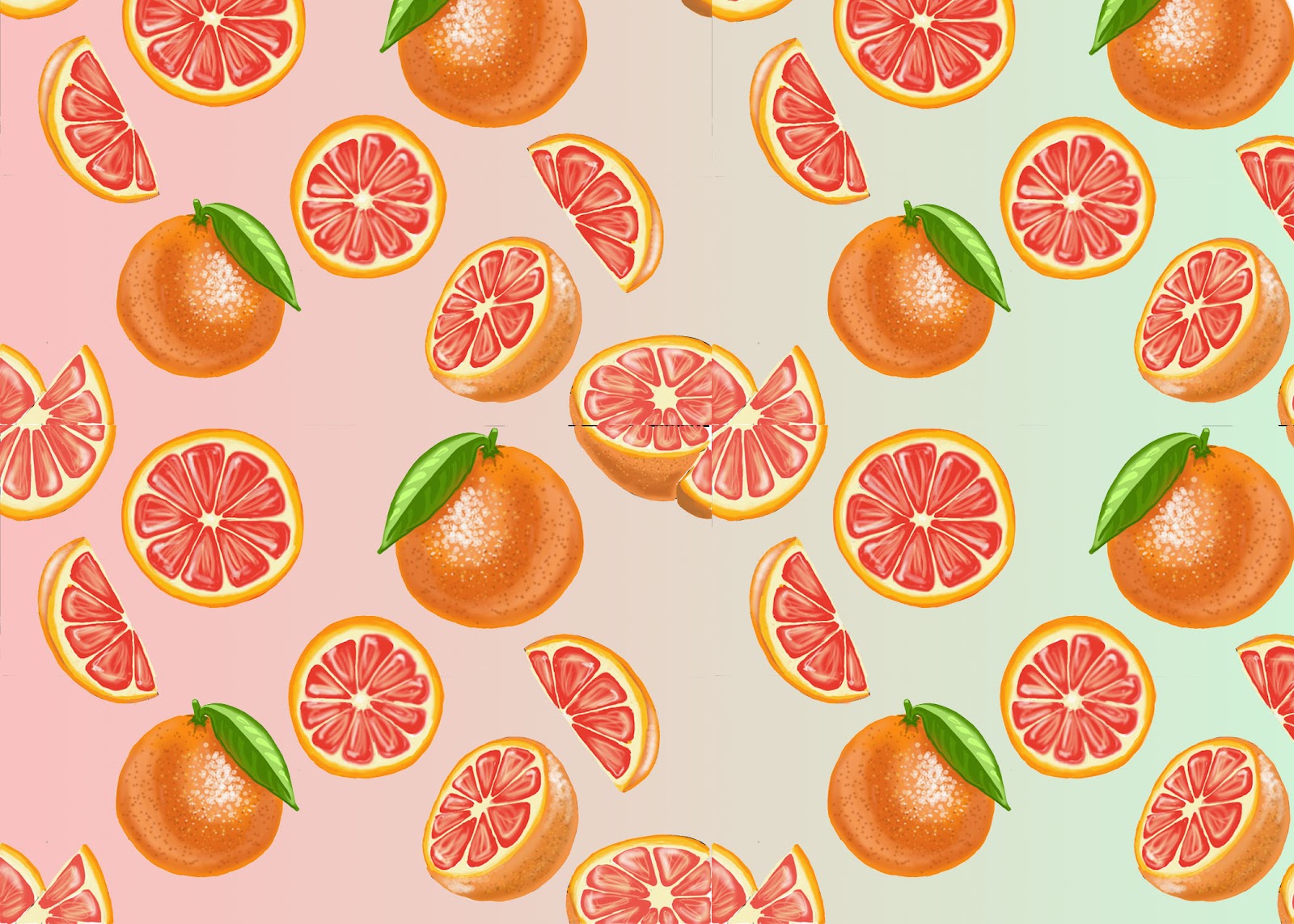
After I finished creating my patterns I scanned all of them into the computer. I opened the grapefruit pattern on Photoshop and started to add colour to the drawings.

Pink Grapefruit Slices HD WallpapersImage result for whole grapefruit drawing

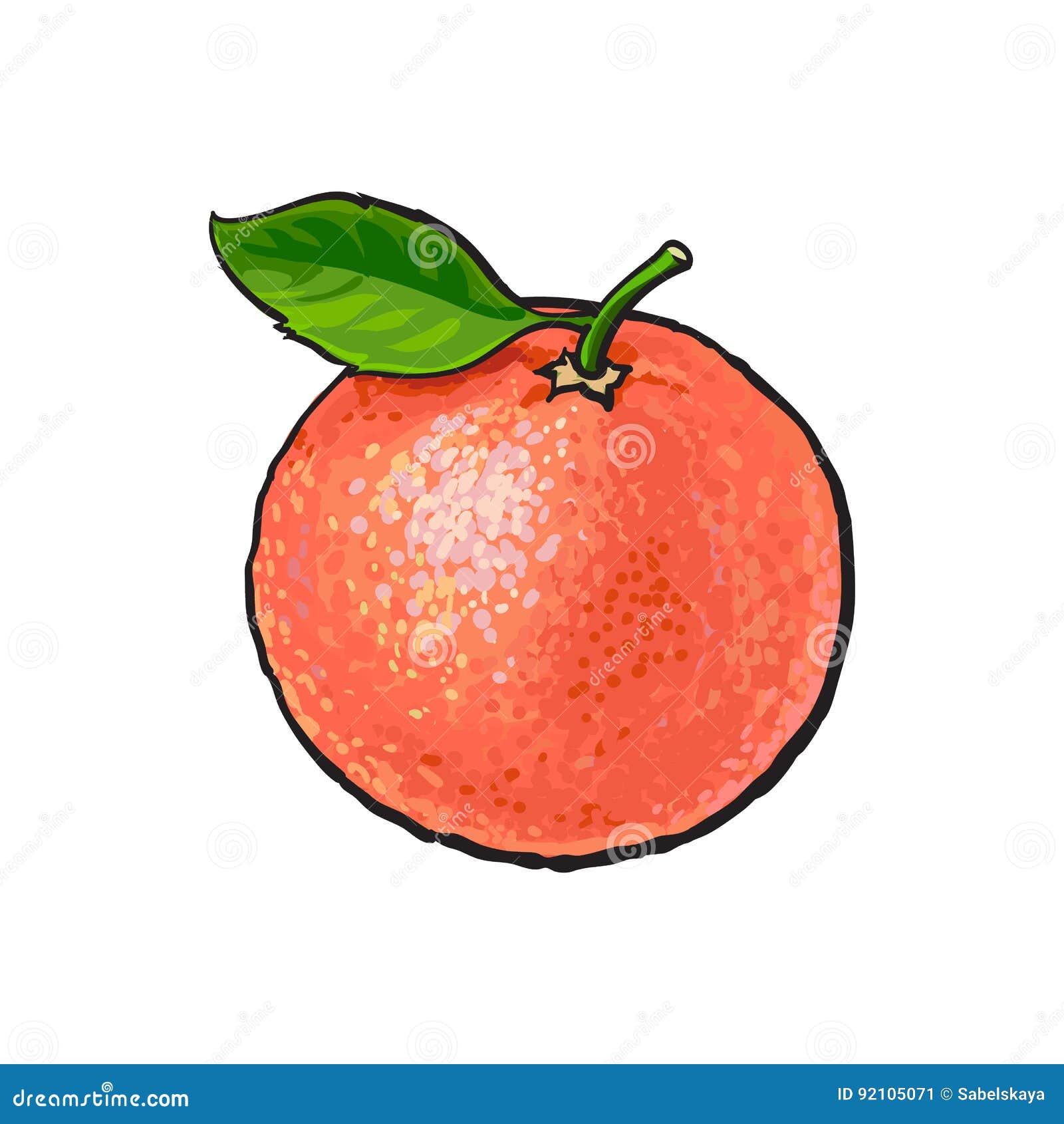
I used the images above as my reference for the colours of the grapefruit and the shading. I used various colours of orange and green to create the grapefruit drawings. I also used various brush tools on Photoshop to create different textures of the orange. This was also all don on Wacom with a Wacom pen.
Image result for whole grapefruit drawing

I looked at this image to see what type of brush strokes I will have to use in order to make the texture of the grapefruit more visible. What I have noticed is that the artist of this piece used different shades of the colour orange. The artist also painted in a pointillism style, therefore the texture of the orange was seen.


The image above shows the type of brushes I used to create the grapefruit. I had to bounce from one type of brush to the other to make the grapefruit look as realistic as possible. For example, I started out with "Kyle Ultimate Inking Thick 'n' Thin" brush to paint in the base, then I used the other brushes in the image above to layer the painting to create the grapefruit. I started off with the heavier brushes then moved on to the lighter brushes to create a contrast in my painting of the grapefruit on Photoshop.


After I coloured in all the grapefruits with a paintbrush tool on Wacom platform, I created a repeated pattern. I created it by copying and pasting the same pattern and joining its ends together.


Afterwards, I used a magic wand tool to cut out the white background out of my pattern, so I could edit in the background colour that would compliment my pattern.


I used created a new layer and used a gradient tool to add the background colours as an experiment to see how it would look like. However, I might not be sticking with these colours because I want to do some extra research on what colours I should use in order to give out an exotic feel. 

Reflection:

It was difficult for me to colour in the drawings that were on the edges of the page because the other part of the drawing was on the other side of the page. Therefore I had to make assumptions of how to colour in the drawing in order that it would look out of shape. In the middle of the last image,  you can see the difference between the four sides of the drawing, when you focus on it you can see the parts do not stick together as well. For my next design, I will just colour in the drawings after I have connected them in order to make sure the drawings connect well.

Sunday, May 26, 2019

For my soap scents, I have chosen 2 tropical flower scents and 2 tropical fruit scents. The two tropical flower scents were not chosen by random they had a deeper meaning. They both relate to female qualities. Their meanings all have related to a woman. I chose to do these scents for my soaps because I have decided from the start that I wanted to my target group to be women and therefore these flower scents have not been picked by random they rather enhance my idea and design process.
Plumeria Flower

reference link: Plumeria Flower Meaning

I have highlighted the key meanings of the plumeria flower that states how the flower relates to a woman. When used in the description it says that "means she is available," here it is talking about when the flower is used. What I have taken out from this is that this statement was talking using the flower on a lady rather than on a man. Meaning that the flower is used for women. Another thing that I picked out from the Mexican Culture meaning of the flower. "Plumeria flower gave birth to the gods," usually giving birth relates to a female's characteristics. So this was something else that added more information that Plumeria Flower is for women. This idea dates back I believe until the ancient times that it became part of the Mexican Culture's meaning of the flower.

Hibiscus Flower


reference link: Hibiscus Flower Meaning

The hibiscus flower meaning from the website I have used clearly states that is feminine. The flower itself is feminine. The meaning of hibiscus is "perfect wife or woman." The website also mentioned that it is often symbolized as "young women" because they are as soft and full of beauty as a woman is described.

With all of this research about these two flowers, it encourages me to emphasise the fact that the product is for women through my designs. I will make sure that the flower details are able to be seen clearly in my designs and that they stand out through patterns.

Final look of the four patterns

This is the final look for the designs done by hand. The top left pattern design is of passionfruits and the pattern next to it on the right is of grapefruit. The bottom left pattern design is of the hibiscus flower and the pattern design next to it is of the plumeria flowers.


The images above are the reference images I used for my plumeria flower drawings. I paid attention to how the petals were arranged in the photograph and the drawing.

 
The images of the grapefruit are the ones I used as a reference for my grapefruit design drawings. I looked at them to understand how the inside of grapefruit should look like. I wanted my drawing to look as realistic as possible so that the viewers of the packaging design could easily tell what the soap scent is.


The images above are the reference images I used to create my design for a pattern of passionfruit.

As you can see from my reference images I looked at the drawing of the object and the real-life photograph of the object. I did this in order to get a proper understanding of how I can make a drawing as real, I compared the drawing to the real life image to see if I could add some extra features to the drawing to make it look more realistic or to just leave it as so. As you can see from my designs I tried to make it look more realistic.

Saturday, May 25, 2019

Patterns Process


Firstly, I started out drawing the design in the middle of the paper making sure that it was not touching the edges of the paper. Then I divided the paper in half so it would be easier for me to cut the paper. I used a normal HB pencil to draw out the design and I used a cutting knife and cutting matt when I was cutting the paper in half when the paper was laid horizontally . 
 Then I switched the two halves of the paper from left to right. Afterwards, I taped the paper on the back.

 Afterwards, I turned the paper back to the front to add extra drawings in the spaces, once again making sure that it is not touching the edges of the paper.
I folded the paper once again and cut it when the paper was laid vertically. Afterwards, I switched the two halves left to right and taped the paper on the back.  The last image is the final look of the pattern layout. The reason why I had to cut the paper and switch its sides is that it could form a larger pattern when connected. I will be creating copies of this pattern design and connecting it on Photoshop.
  These hibiscus images were my reference points for my designs and most of the drawing was added with my imagination.


Sunday, May 19, 2019

How will I create my patterns


During my first term of Art and design foundation I took 2D and 3D media processes classes. During my 2D classes I got to learn how to create repeat patterns. Julia Rothman,  artist influence used this technique so therefore I decided to stick with it. I will create the pattern then digitally add the colors on to the pattern, to add more depth to the design. I will draw out the pattern and copy and paste it several times on Photoshop to create a repeated pattern and then add the background color and the patterns colors digitally through the paint brush tool on Photoshop.

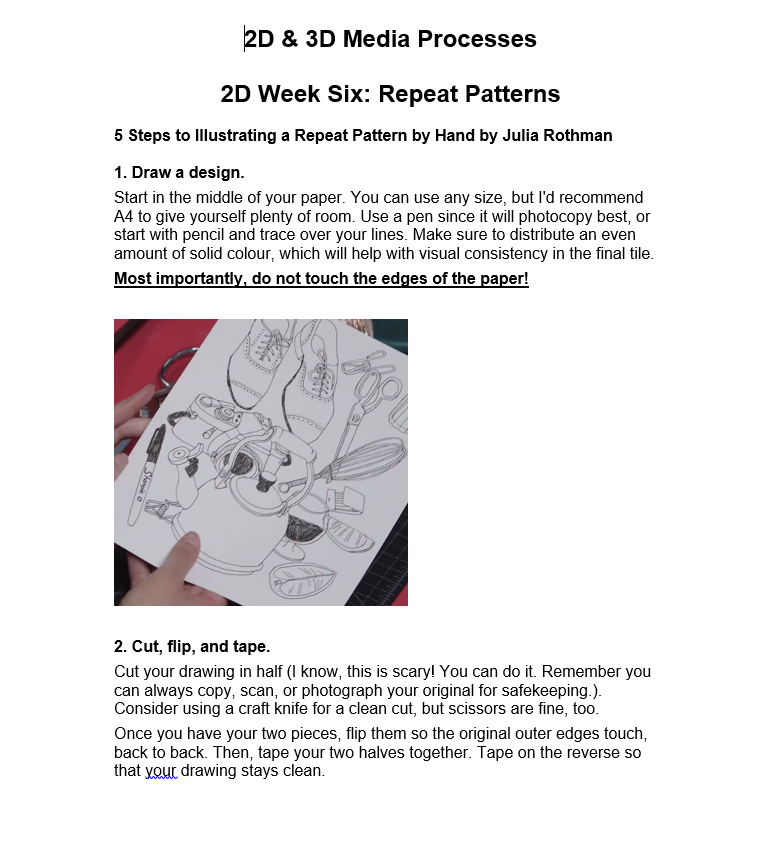
The images below show the process steps that I will be using to create my own repeated patterns.


Saturday, May 18, 2019

Packaging designs

I would like to do a pattern design for my packaging. My artist influence is Julia Rothman.
Floral Pattern reference link
I find her designs quite interesting. I like how the background color contrasts with the drawings, it makes them stand out. These floral patterns give me an idea of how I can create my own floral pattern for the hibiscus and plumeria flowers that I will be using as soap scents.
Flora Pattern reference link
The second pattern is different from the first floral pattern that I picked. This one is not outlined but it stands out because of the use of colors, the black background gives more contrast to the bright colored floral patterns. However, these two Flora patterns by Julia are quite clustered. As I look at the patterns it is hard for me to focus on a single drawing.Especially since I want my designs to quickly let the viewers know what the package is about the drawings should not be clustered instead they should be spread out.
Object Pattern reference link
This object pattern is less cluttered than the floral patterns, it makes the objects stand out more and more focused. I will use this style of the pattern instead. I want my packaging design to be more informative so therefore I will create it a way that is more visible to tell what type of soap it is. The object pattern drawings are also larger than the flora pattern which is good for eyesight, the larger the drawing the clearer it is.